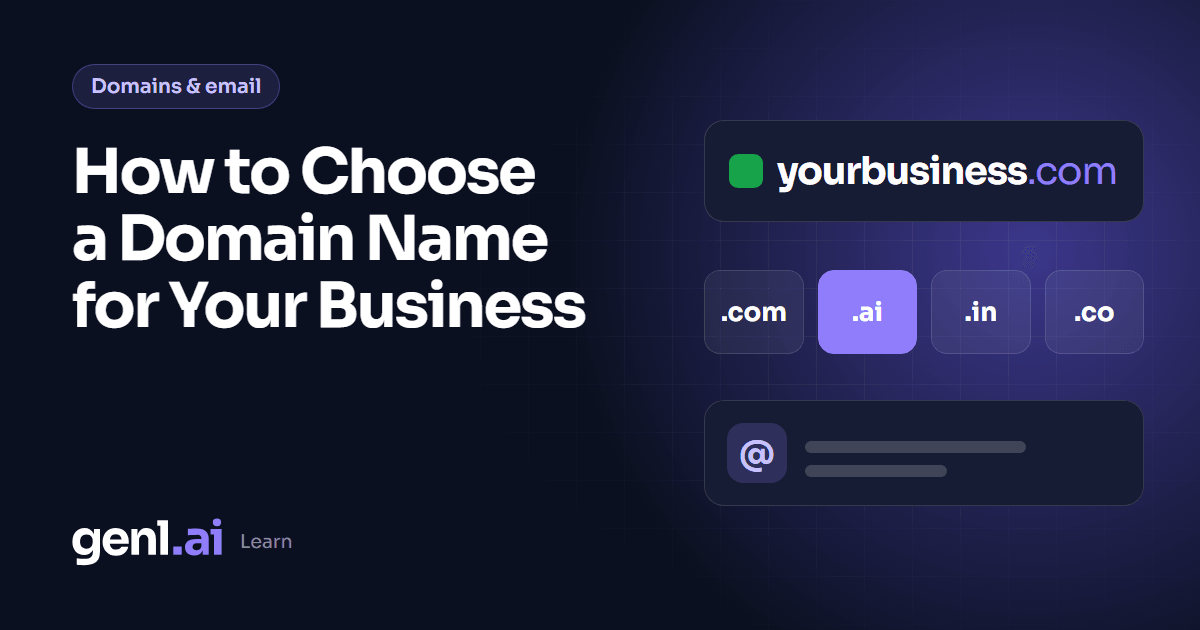
How to Choose a Domain Name for Your Business
How to pick a short, memorable domain name, choose the right extension, check trademarks, avoid renewal traps and connect it to your website and email.
By the GENL teamUpdated 7 min read
A good business domain name is short, easy to say and spell, close to your business name, and free of hyphens and numbers. For most businesses a .com is the safest choice, with a country ending as a strong alternative if you serve one country. Before you buy, check trademarks and social media handles, and look at the renewal price, not just the first-year price.
Below is how to make each of those decisions, plus how to connect the domain to your website and email once you have it.
What a domain name is
A domain name is the address people type to reach your website, such as harborandbean.com. It has two parts:
- The name you choose, such as
harborandbean. - The extension, also called a top-level domain or TLD, such as
.com,.inor.ai.
You do not buy a domain forever. You register it for a period, usually one year or more, through a company called a registrar, and renew it to keep it. Whoever is listed as the registrant controls the domain, so it should be you or your business.
Your domain also becomes the end of your email address ([email protected]), so it shows up on every message, invoice and business card.
Rules for a good domain name
Use these as a checklist when brainstorming.
- 1Keep it short. Shorter names are easier to remember and type. Aim for something you can fit comfortably on a business card and say in one breath.
- 2Make it easy to say and spell. Imagine telling someone your address over the phone. If you have to spell it out or explain it, it is likely to be mistyped.
- 3Stay close to your business name. People will guess your domain from your name. If the exact name is taken, add a simple, relevant word: your town, your trade or a word like "get," "try" or "studio."
- 4Avoid hyphens and numbers. People forget the hyphen or are unsure whether you mean "4" or "four." If you must use one, consider registering the other version too.
- 5Watch for awkward word joins. Read the name as one run of letters. Some combinations accidentally form other words.
- 6Think long term. A name tied to one product, one street or one year may not fit if the business grows or moves.
Choosing an extension
The extension affects how people perceive your site and, sometimes, the price. There is no single correct answer, but these are the common options.
| Extension | Good for | Trade-offs |
|---|---|---|
.com | Almost any business, especially if you sell internationally | The most recognized, so short names are often taken |
Country code, e.g. .in, .co.uk, .de, .com.au | Businesses that mainly serve one country | Signals local presence; some have eligibility rules |
.net, .org | Alternatives when the .com is taken; .org is associated with nonprofits and communities | Less familiar to some visitors, who may type .com by habit |
.ai | Technology and AI-related businesses | Usually priced well above .com |
Newer endings, e.g. .studio, .shop, .design | Descriptive or creative names | Prices vary widely, and some visitors find them unfamiliar |
A few points to weigh:
- If your preferred
.comis taken by an active business in your field, picking the same name with another ending can confuse customers and send them to the other company. A different name is often better. - If you can afford it, register the
.comand your main country code version and point both to the same site. - Check renewal prices for special endings; some cost far more than a
.comeach year.
Check trademarks and social handles
Before you commit, spend a few minutes making sure the name is genuinely yours to use.
- Trademarks. Search your country's official trademark database for the name, and do a plain web search. Using a name that another company has trademarked in your field can lead to legal problems and a forced rebrand. If you are unsure, ask a trademark professional.
- Business registration. Check that the name does not clash with a registered company in your area.
- Social media handles. Look up the name on the platforms you plan to use, such as Instagram, Facebook, X and Telegram. Matching handles make you easier to find, though small variations are fine.
- Search results. Search the name and see what comes up. If the results are dominated by something unrelated, or something you would not want to be associated with, keep looking.
Buying, renewing and avoiding common traps
Registering a domain is simple: search for the name at a registrar, add it to your cart and pay. A few details are worth checking first.
- First-year vs. renewal price. Some registrars offer a low first-year price and charge much more on renewal. Look up the renewal price before you buy. Prices vary by extension, country and provider; many common endings cost somewhere around ten to twenty dollars a year, while premium or specialty endings can cost much more.
- Privacy protection. Domain registrations include contact details. Many registrars offer free privacy protection that hides your personal details from public lookup records. Turn it on if it is available.
- Register it in your name. Make sure you or your business is the registrant, not a designer, agency or employee. If someone else registers it on your behalf, ask for it to be in your name from the start.
- Auto-renew and reminders. Switch on auto-renew and keep the payment method current. An expired domain takes your website and email offline, and it can eventually be registered by someone else.
- Upsells. Registrars often offer add-ons at checkout. Only buy what you need.
- Premium names. Some short or popular names are sold at a "premium" price, or are owned by resellers asking much more. Decide your budget before you start negotiating.
Some website platforms include a domain with their plans. GENL, for example, includes a free domain with yearly plans and with Pro and above, registered in your name, connected to your site with DNS and SSL, and renewed while your plan is active. See domains for the details and eligible extensions.
Connecting your domain to a website and email
Once you own a domain, you point it at the services that use it. This is done with DNS (Domain Name System) records, a set of settings that tell the internet where your website and email live.
Your website
Your website platform will show you which DNS records to add, usually one or two entries at your registrar. After you add them, changes can take anywhere from minutes to a few hours to spread. The platform should then set up SSL, the certificate that gives your site the HTTPS padlock. Platforms that manage the domain for you, including GENL's website builder, handle this step automatically.
If you do not have a website yet, our guide on how to make a business website walks through the full process.
Your email
A professional address such as [email protected] looks more trustworthy than a free webmail address. You have two main options:
- A hosted mailbox from an email provider such as Google Workspace, Microsoft 365 or Zoho Mail. This gives you a full inbox on your domain.
- Email forwarding, which sends messages addressed to your domain on to an inbox you already use. It is simple and often free, though replying from your domain address may need extra setup.
Either way, you add the DNS records your email provider gives you, usually MX records for receiving mail and a few text records that help your messages avoid spam folders.
A quick domain checklist
- The name is short, easy to say and spell, and close to your business name.
- No hyphens or numbers, or you have registered the alternative too.
- You have chosen an extension that suits your market, and checked its renewal price.
- No trademark conflicts, and the social handles are available or close.
- It is registered in your or your business's name, with privacy protection and auto-renew on.
- It is connected to your website with HTTPS, and your email records are set up.
Frequently asked questions
Is .com still the best domain extension?
For most businesses it is the safest choice, because it is the most familiar and people often type it by default. A country code ending is an excellent alternative if you mainly serve one country. Other endings can work well, especially if they match your industry, but check prices and make sure the .com is not used by a competitor with the same name.
How much does a domain name cost?
Many common extensions cost around ten to twenty dollars a year, though prices vary by extension, country and registrar. Specialty endings like .ai usually cost more, and premium names can cost hundreds or thousands. Always compare the renewal price, not only the first-year offer.
Can I change my domain name later?
Yes, but it takes work. You need to register the new domain, redirect the old one to it so existing links still work, update your email, and change it on your social profiles and printed materials. It is worth choosing carefully at the start, and keeping the old domain for a while after any change.
What happens if I forget to renew my domain?
Your website and email on that domain stop working. Most registrars give a grace period to renew, sometimes with a fee, but after that the name can be released and registered by someone else. Turn on auto-renew to avoid this.
Should I buy several versions of my domain?
It can be worth registering common misspellings or your main country code version and redirecting them to your site, especially if your name is easily mistyped. You do not need every extension; focus on the ones your customers are likely to type.